Part 3: Cloudflare ZTNA - Private Resource Access
Introduction
Private resources don’t have public IPs, which means they’re not directly reachable from the internet. That’s intentional — and usually a good call.
Take an internal file-share server. If it’s exposed to the internet without authentication, you’ve got a problem. Same with a self-hosted GitLab instance for your dev team, or an SSH endpoint for managing infrastructure. These aren’t meant for the public internet.
But here’s the catch: keeping something private often means setting up a VPN, which adds complexity. You need to manage certificates, client software, authentication layers — it all adds friction, especially if you just want something quick and temporary.
That’s where Cloudflare Tunnel comes in. It lets you expose a private resource to authorized users without opening it up to the entire internet. No VPN client needed. No managing your own ingress infrastructure. Your private EC2 instance, RDS database, or internal tool stays completely offline from a public IP perspective, but it’s still accessible to the people who need it.
In this part, I’ll walk through setting up a tunnel to reach a private EC2 instance on AWS, then ping it from my machine.
Why It Matters — Security Considerations
Private resources have a built-in advantage: they’re not on the internet, so entire categories of attacks just don’t apply. A DDoS attacker can’t target what they can’t reach. A man-in-the-middle can’t intercept traffic if the app isn’t listening on a public IP.
But there’s a tension: making something private protects it, but it also makes it harder to access. You can’t just send a link to a colleague. You need some way to reach it securely.
A tunnel gives you the best of both worlds. Your resource stays off the public internet, unreachable from random attackers. But authorized users can connect through Cloudflare’s network, which means:
- No exposed public IP to scan or attack
- Encrypted end-to-end (Cloudflare handles TLS)
- Centralized access control (decide who can connect, from where)
- No VPN overhead for users
Implementation
I’m going to set up a Cloudflare Tunnel by installing cloudflared on an EC2 instance, then reach that instance’s private IP from my machine using the tunnel.
Here’s how it works:
- I run
cloudflaredon the EC2 instance (the tunnel origin) cloudflaredopens an outbound connection to Cloudflare’s network and registers itself- When I want to access the EC2, my traffic goes through Cloudflare’s edge
- Cloudflare routes that traffic through the tunnel to the
cloudflaredprocess cloudflaredforwards it to the private IP on the EC2
The key part: the EC2 instance initiates the connection to Cloudflare, not the other way around. So there’s no inbound rule needed on the security group — cloudflared just dials out once, and Cloudflare uses that connection as a return path for your traffic. The EC2 stays completely offline from a public perspective.
Terraform Init, Plan and Apply
Uncomment the following modules
cloudflare_pvt_resource_accessin cloudflare.tf.
module "cloudflare_pvt_resource_access" {
  source = "./cloudflare/2.pvt_resource_access"
  providers = {
    cloudflare = cloudflare
  }
  unique_id  = var.unique_id
  account_id = var.account_id
}
- ec2 and vpc in aws.tf
module "vpc" {
  source = "./aws/vpc"
  providers = {
    aws = aws.region_1
  }

  unique_id = var.unique_id
  vpc       = var.vpc
}

module "ec2" {
  source = "./aws/ec2"
  providers = {
    aws = aws.region_1
  }

  unique_id = var.unique_id
  subnets = [
    "pub_sub1a",
  ]
  vpc                     = module.vpc.vpc
  cloudflare_tunnel_token = module.cloudflare_pvt_resource_access.connector_token
}
Terraform Provisioned Resources
Cloudflare
Tunnel: A named tunnel that acts as the bridge between your machine and the EC2 instance. This tunnel has a unique token that cloudflared uses to authenticate with Cloudflare’s network.
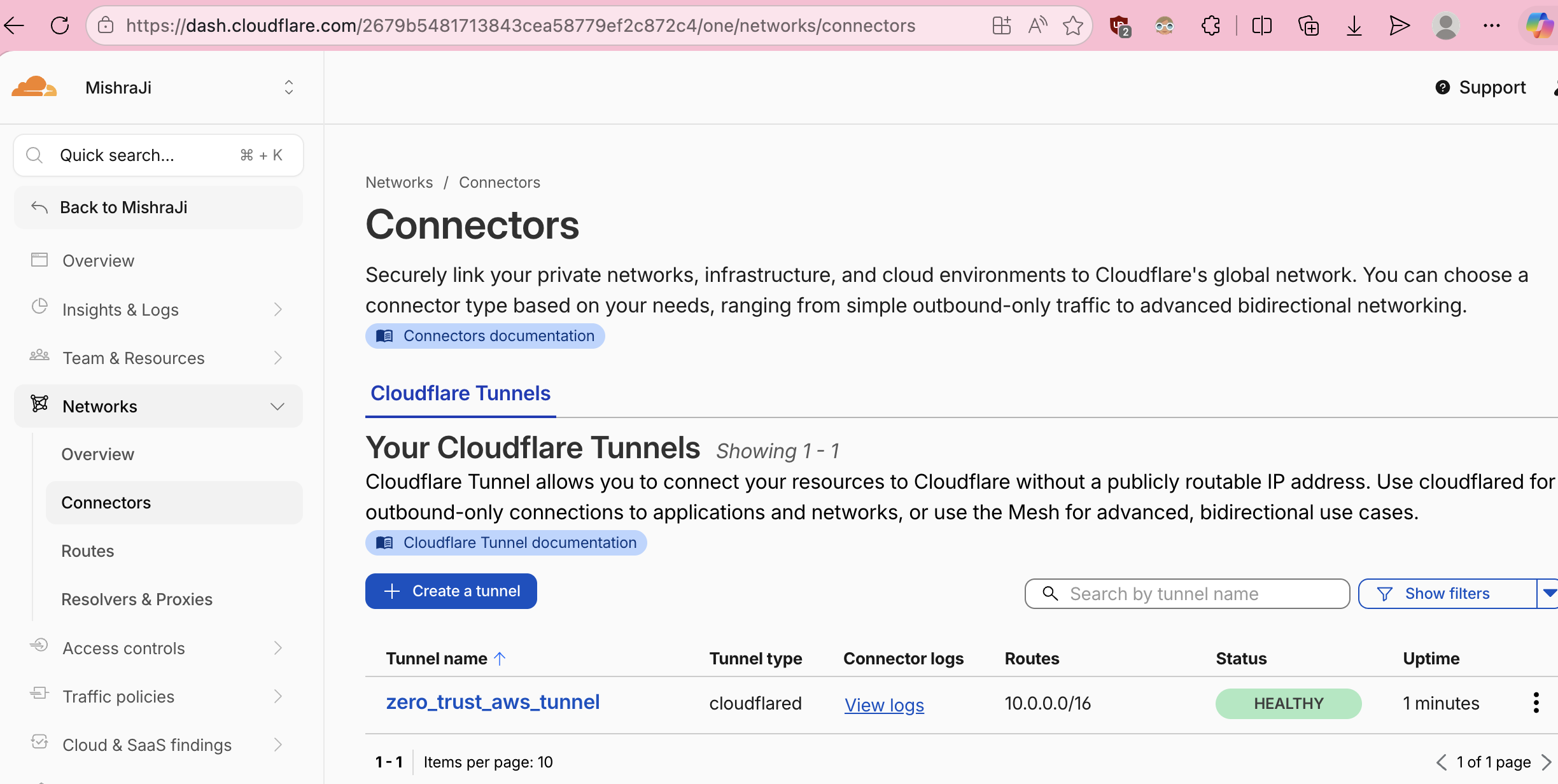
Cloudflare-To-AWS-Tunnel
Route (CIDR): A CIDR that tells the Cloudflare One Client that the destination IP should be routed through the tunnel. It’s a critical piece to establish successful connectivity to private resources. By default Cloudflare does not route private ips through the tunnel.
AWS
EC2 Instance: The instance running in a public subnet (so it can download and install cloudflared). Once cloudflared is installed and running, it initiates an outbound connection to Cloudflare and waits for traffic to forward.
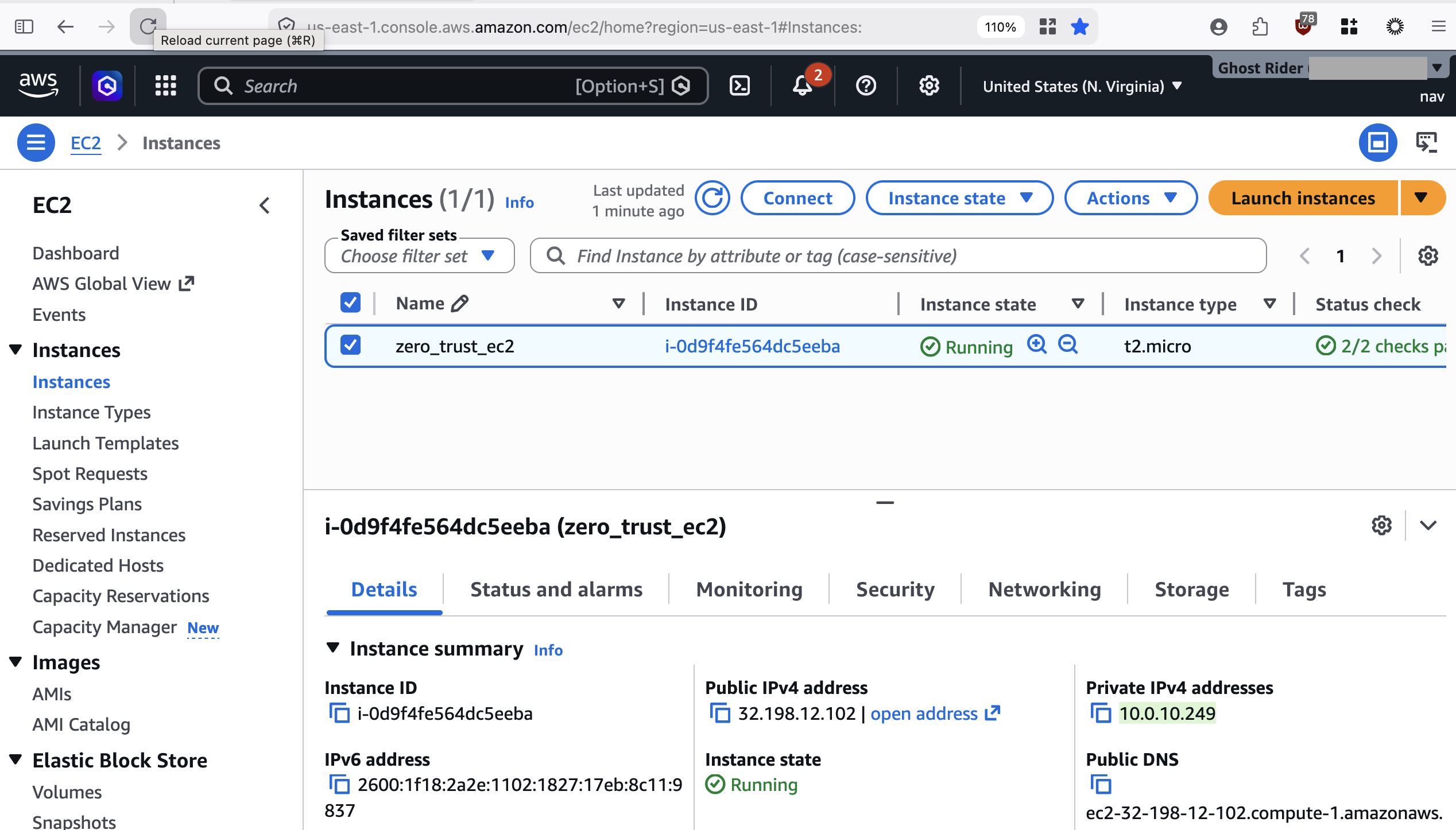
EC2 instance on AWS with cloudflared installed
The EC2 doesn’t need a public IP to be useful — the tunnel is the access path. You can move it to a private subnet later if you want (with a NAT gateway or egress-only route for downloads), but for this walkthrough it’s in a public subnet for simplicity.
Testing
Ping the private IP address of the EC2 instance from your terminal and verify it succeeds. Then disconnect the Cloudflare One Client (WARP) and notice that the ping fails — proving the tunnel is what makes it accessible.
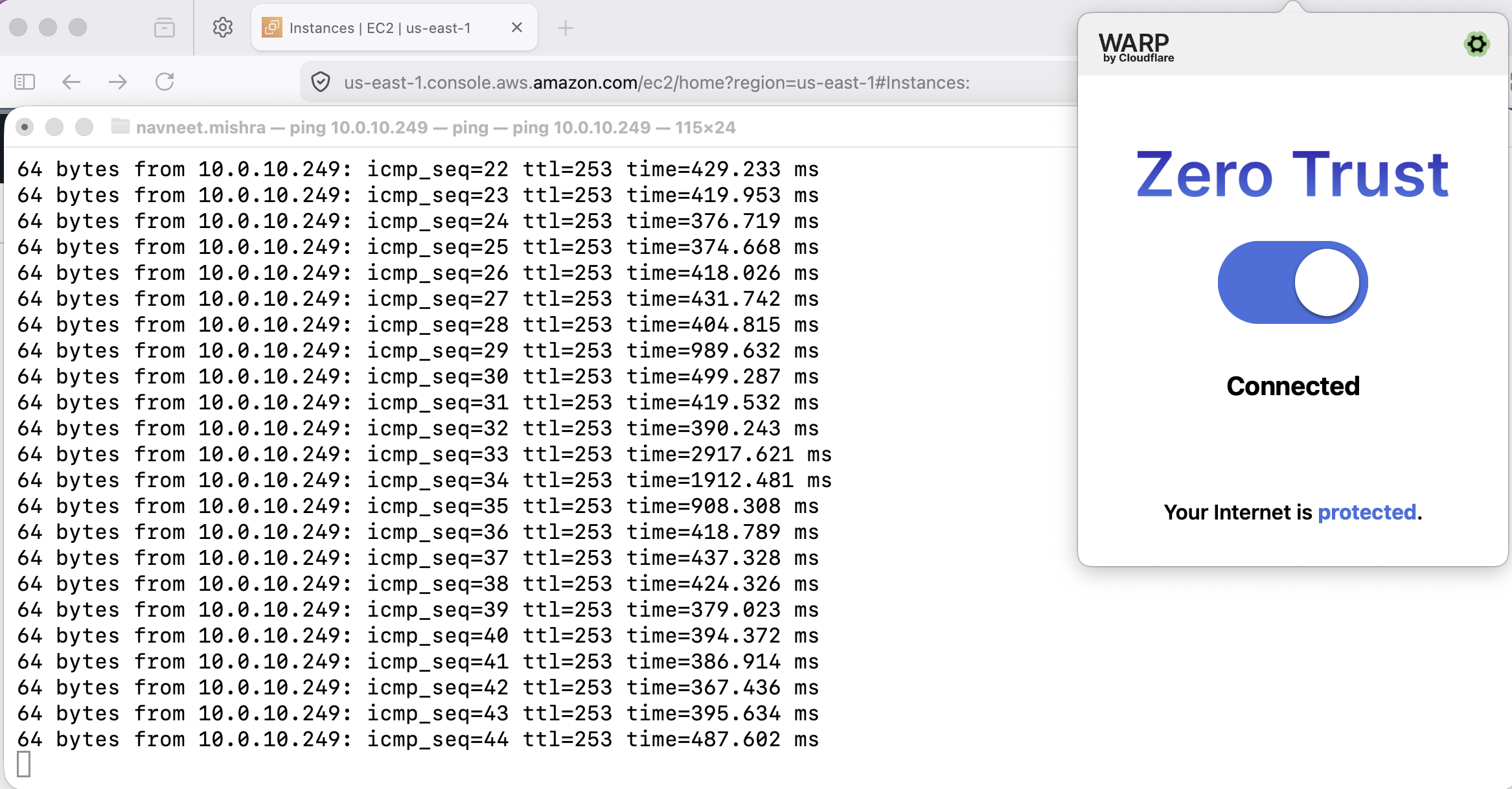
Ping successful to private IP of EC2 with Cloudflare client connected
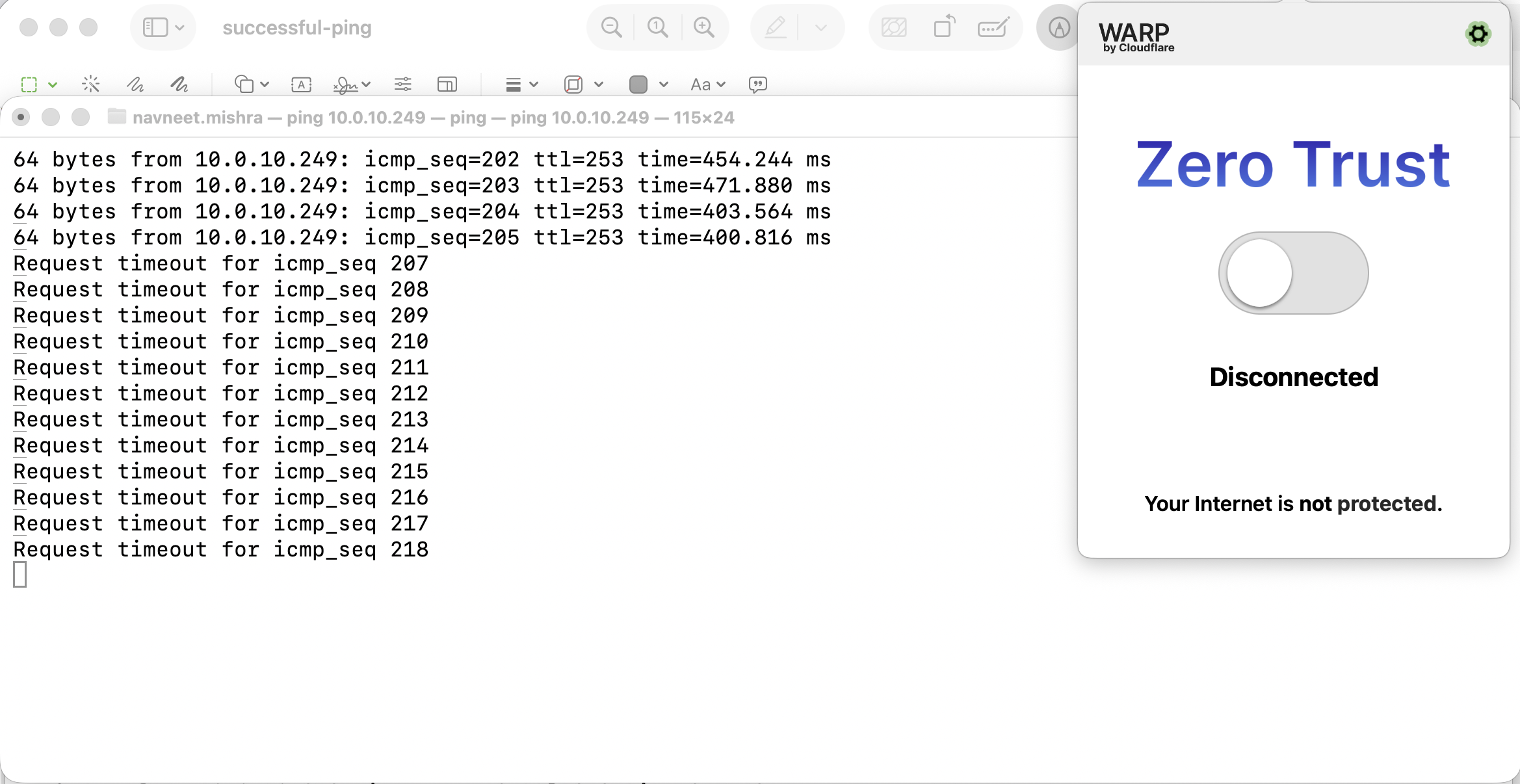
Ping unsuccessful to private IP of EC2 with Cloudflare client disconnected