Part 1: What Makes FIDO2 Phishing Resistant
Introduction
This is a two-part blog series to understand what makes FIDO2 phishing-resistant. Part 1 covers the basics — what phishing is, how it works, and why traditional authentication mechanisms keep failing against it. Part 2 dives into FIDO2 and breaks down exactly why it is built to defeat phishing at a fundamental level.
What is Phishing?
A lookalike page where everything looks the same — except the URL bar.
Simple example. The attacker hosts a fake login page, crafts a convincing message, and sends the link to the victim. The victim opens it, trusts it because it looks identical to the real thing, types in their credentials, and hits submit. Instead of reaching the actual server, those credentials land straight in the attacker’s hands. Game over!!
After hitting the submit button the victim might see an error page or get redirected somewhere — doesn’t matter. The damage is done.
Let’s call this Version 1 — the classic, straightforward credential harvest. Typically the go-to for novice attackers and script kiddies.
Countering V1 Phishing — Enter OTP
To counter this, came the concept of multi-factor authentication (MFA). The idea is simple — knowing your password alone is no longer enough. In addition to the knowledge factor (something you know — your password), you must also provide a second factor to complete authentication.
The most common second factor is a One-Time Password (OTP), which falls under the possession factor — something you have. OTPs can be delivered three ways:
- Email-based OTP — only as secure as your email account. Compromise the email, compromise the OTP.
- Phone-based OTP (SMS) — vulnerable to SIM swapping attacks. An attacker can socially engineer your carrier into transferring your number to their SIM. Once they have your number, they have your OTPs.
- App-based OTP — the safest of the three. For this to fail, the attacker must either physically get hold of the victim’s phone or compromise it through malware. That raises the bar significantly.
So app-based OTP wins among the three options. But does it fully solve the phishing problem? Not quite — and that’s where things get interesting.
Evolution of Phishing — Version 2
Version 1 was passive. The attacker hosted a fake page, collected credentials, and waited. But defenders adapted — MFA raised the bar. So attackers adapted too.
Meet Version 2. The flow looks the same from the victim’s perspective, but the attacker is no longer sitting passively. This time they act as a reverse proxy.
Here’s how it plays out:
- Victim submits credentials on the fake page
- Attacker forwards them to the real server
- Real server responds — attacker forwards the response back to the victim
- Server asks for OTP — attacker forwards that prompt to the victim
- Victim, assuming they’re talking to the legit server, enters the OTP
- Attacker forwards the OTP to the server
- Server creates a session — attacker captures the session cookies
Game over!! The entire traffic flows through the attacker. They have the credentials, the OTP, and the session cookies.
And TLS? Doesn’t help here. The victim does have a valid HTTPS connection — but it’s with the attacker’s server, not the real one. Encryption is working exactly as designed, just for the wrong party.
This isn’t theoretical either. Tools like Modlishka and Evilginx automate this entire attack with minimal setup. OTP-based MFA, even the app-based kind, offers zero protection against Version 2.
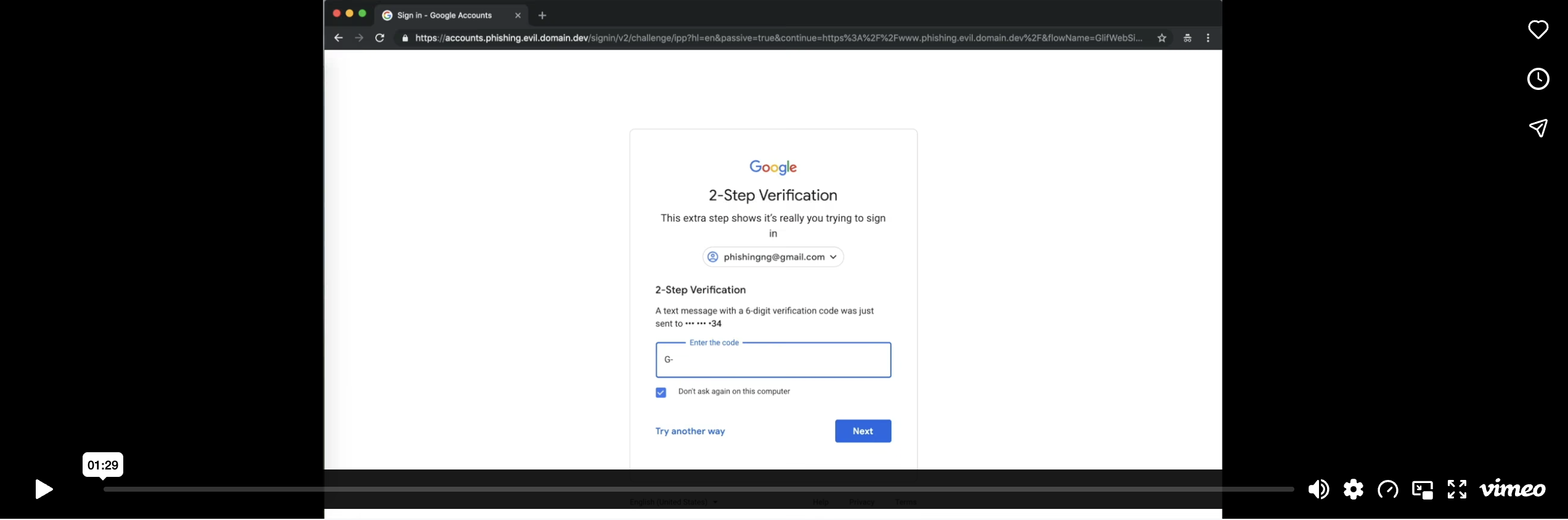
Attack demo bypassing OTP based MFA
FIDO2
As Modlishka and Evilginx seamlessly bypassed OTPs, there was a need for something that was truly phishing-resistant — no matter what tools and techniques the attacker used. But before we get there, let’s talk about digital signatures using public and private keys.
Without diving too deep — a person holding the private key generates a signature, and the other party holding the corresponding public key verifies it. The private key never leaves the signer and the public key can verify the signature but cannot forge one. They are mathematically linked — what one locks, only the other can open.
Hold on to this mental model, it is the foundation of everything FIDO2 does.
How It Works?
When I register for FIDO2, my device generates a public and private key pair. The public key goes to the server and the private key stays on the device — it never leaves. Next time I need to login, the server sends a challenge. I sign that challenge using the private key on my device and send it back. The server verifies the signature using the public key it has stored. Authentication done.
But what really makes it phishing-resistant?
You may argue — what’s the big deal? Let’s take Modlishka. The server sends a challenge, Modlishka forwards it to the victim, the victim’s device signs the challenge and sends it back, Modlishka forwards it to the server. Game over? But no, the game is not over yet.
To understand why, I captured the FIDO2 authentication request in Burp Suite to see what’s cooking inside.
I captured the FIDO2 authentication request in Burp Suite on GitHub’s login.
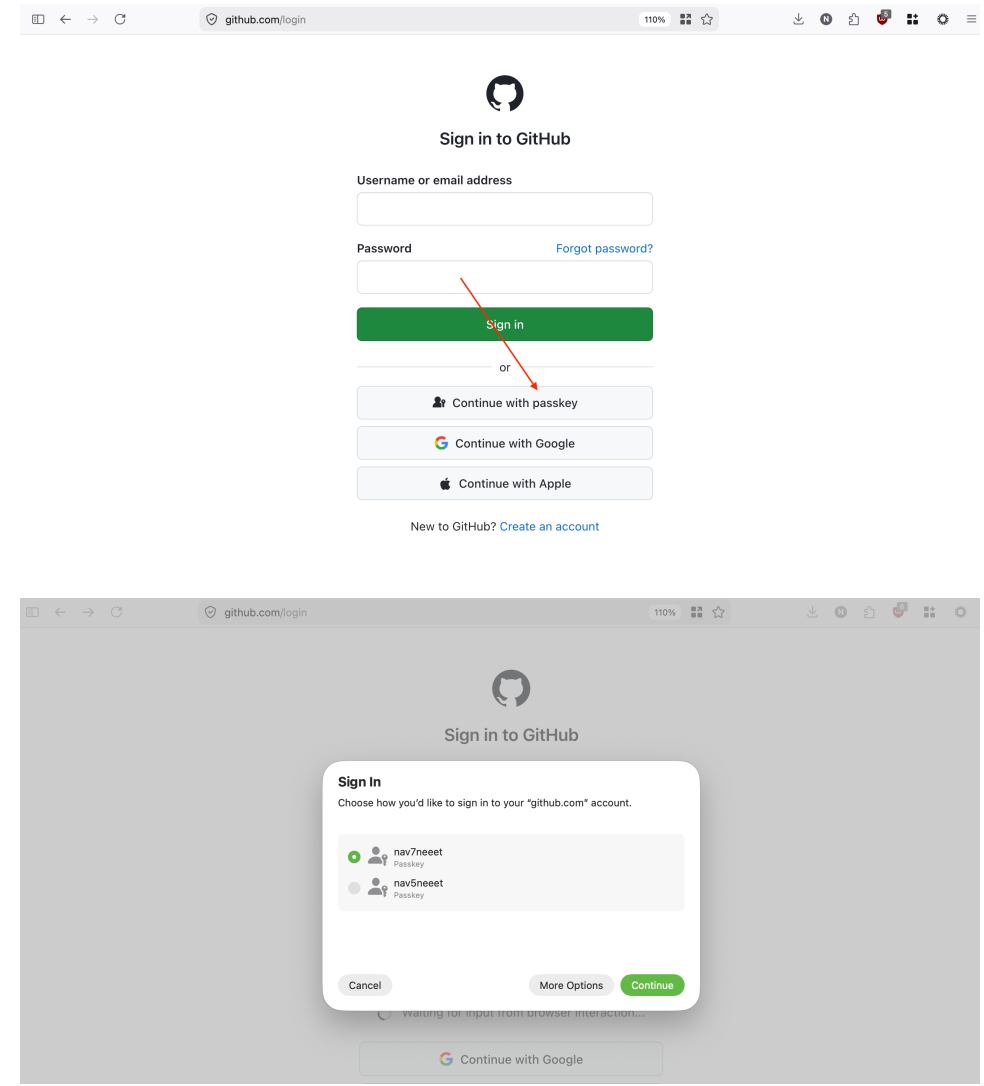
FIDO2 Authentication
Below is the authentication request captured in Burp Suite. It was generated right after I touched the fingerprint sensor to authenticate to the secure enclave, which then used the private key to sign the challenge — the key itself never leaves the enclave.
WebAuthentication Request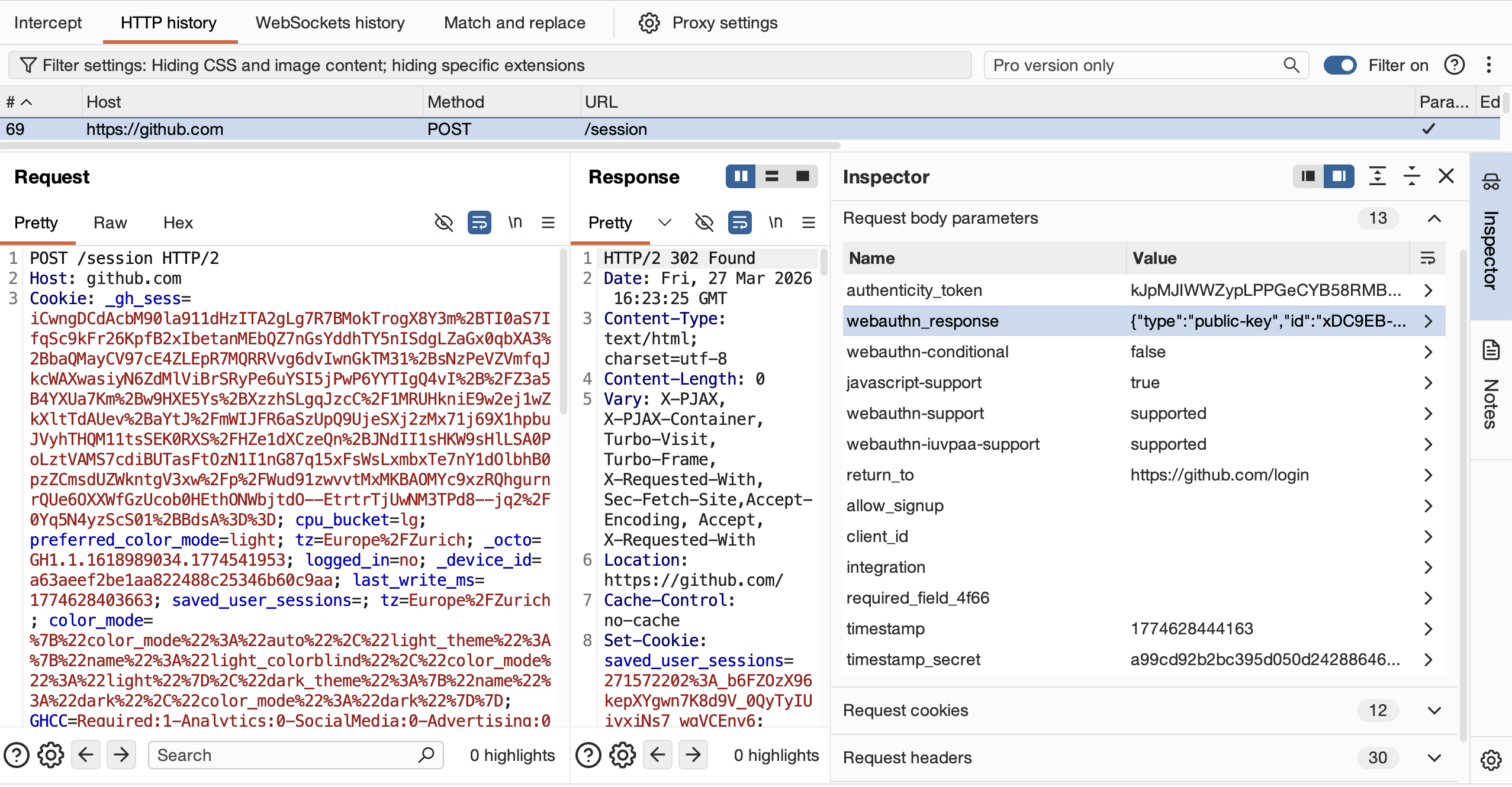
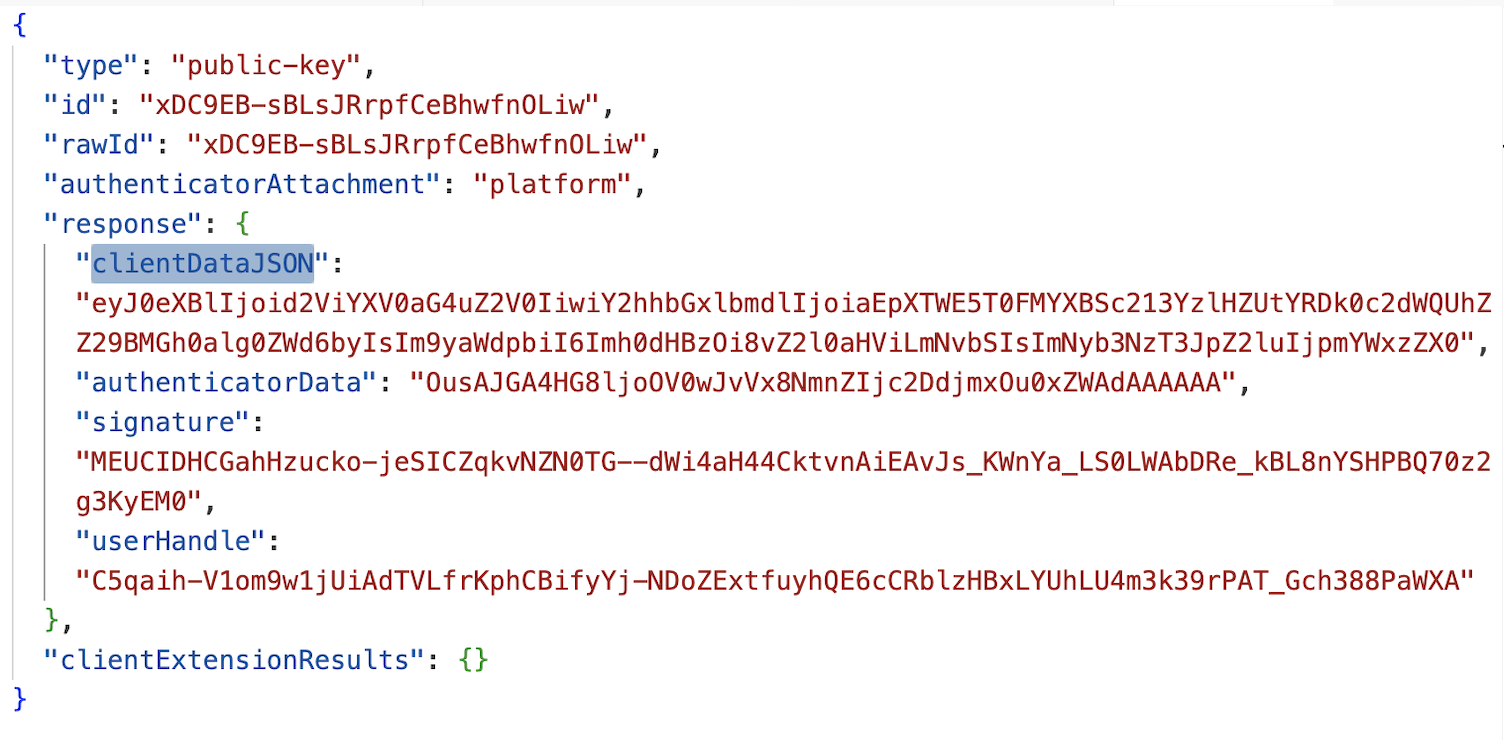
Full View of The WebAuthentication Request
Decoding the clientDataJSON field produces the following
{
  "type": "webauthn.get",
  "challenge": "hJWMa9OALapRsmwc9GeKXD94sgVAHYgoA0htjX4egzo",
  "origin": "https://github.com",
  "crossOrigin": false
}
From the decoded clientDataJSON I can clearly see that it contains two critical fields — the challenge and the origin. The entire clientDataJSON is hashed and that hash is effectively what gets signed by the private key, along with the authenticatorData (for simplicity let’s exclude authenticator data for now).
Now back to the Modlishka scenario. The attacker is sitting in the middle, receives the signed response from the victim’s device, and tries to replay it to github.com. GitHub rejects it — because the origin in the signed clientDataJSON is g1thub.com, the attacker’s phishing GitHub lookalike fake domain. origin value is set by the browser based on the page the user is actually on, and it cannot be controlled or modified by the attacker. Any tampering would break the signature.
And that is exactly what makes FIDO2 phishing-resistant - origin value that is beyond attacker’s control!